You gave up within weeks
It's not you, it's your budget. Formulas break, it's boring to look at and it never motivates you to keep going.
Limited time offer: 62% off

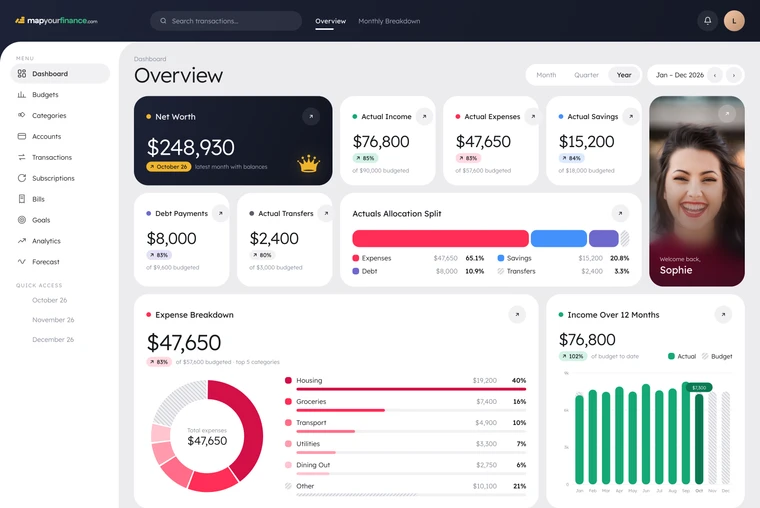
Stop wondering where your money went. See every dollar, know what you can safely spend and watch your savings grow.


“I was never reaching my savings goal. Now I can see where all my money is all in one place and watch my savings grow.”
 Luca Marres
Works in Microsoft Excel Google Sheets
It's not you, it's your budget. Formulas break, it's boring to look at and it never motivates you to keep going.
Most spreadsheets only cover income, expenses and savings. They never check against your real accounts, so money slips through.
Not having a clear handle on your money is what causes the stress, and it's easy to fix.
A closed-loop budgeting system designed to account for every cent.
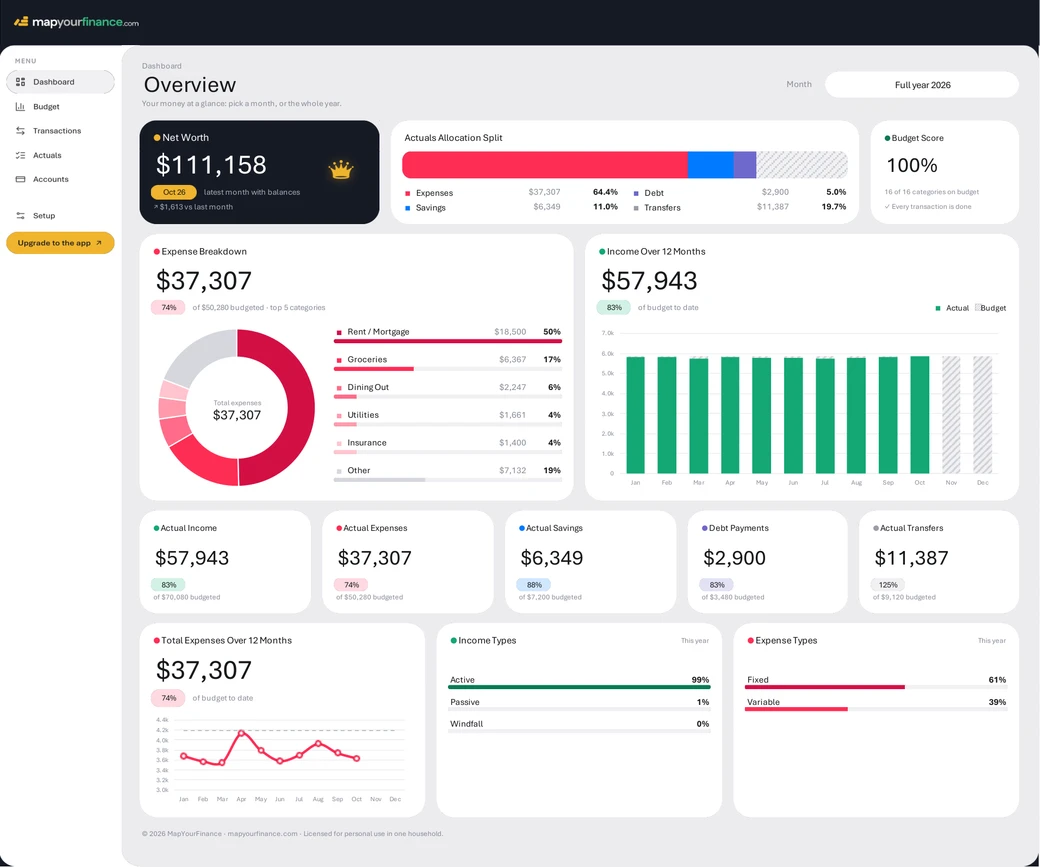
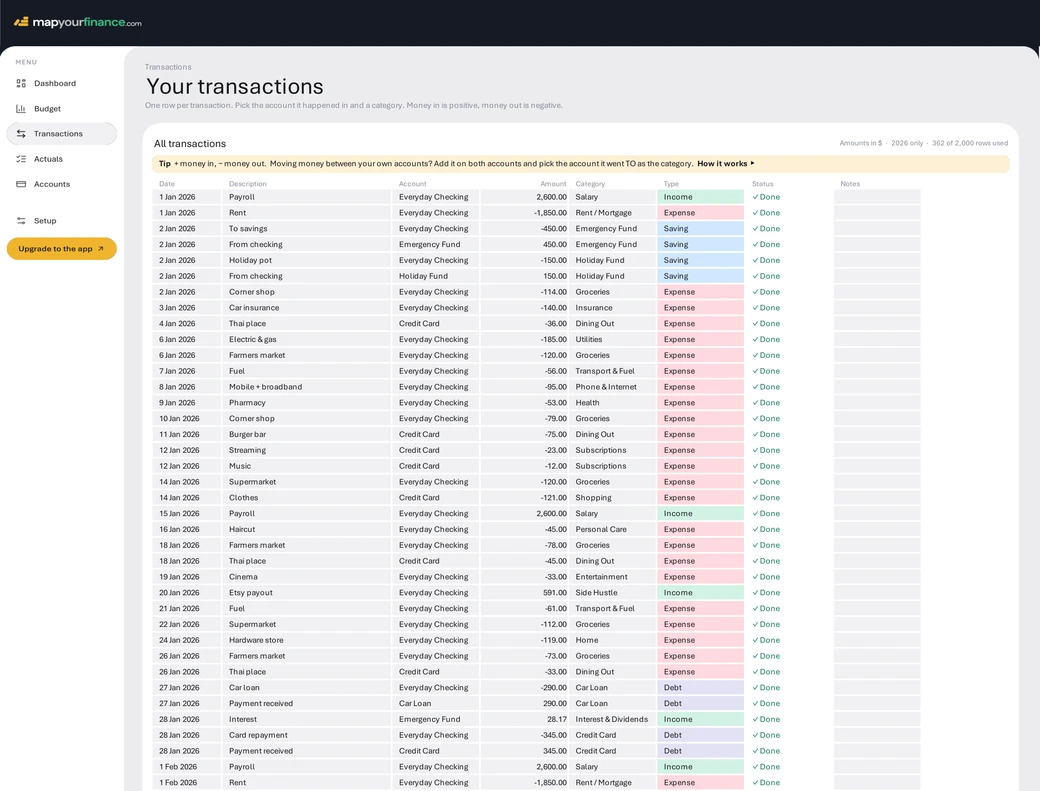
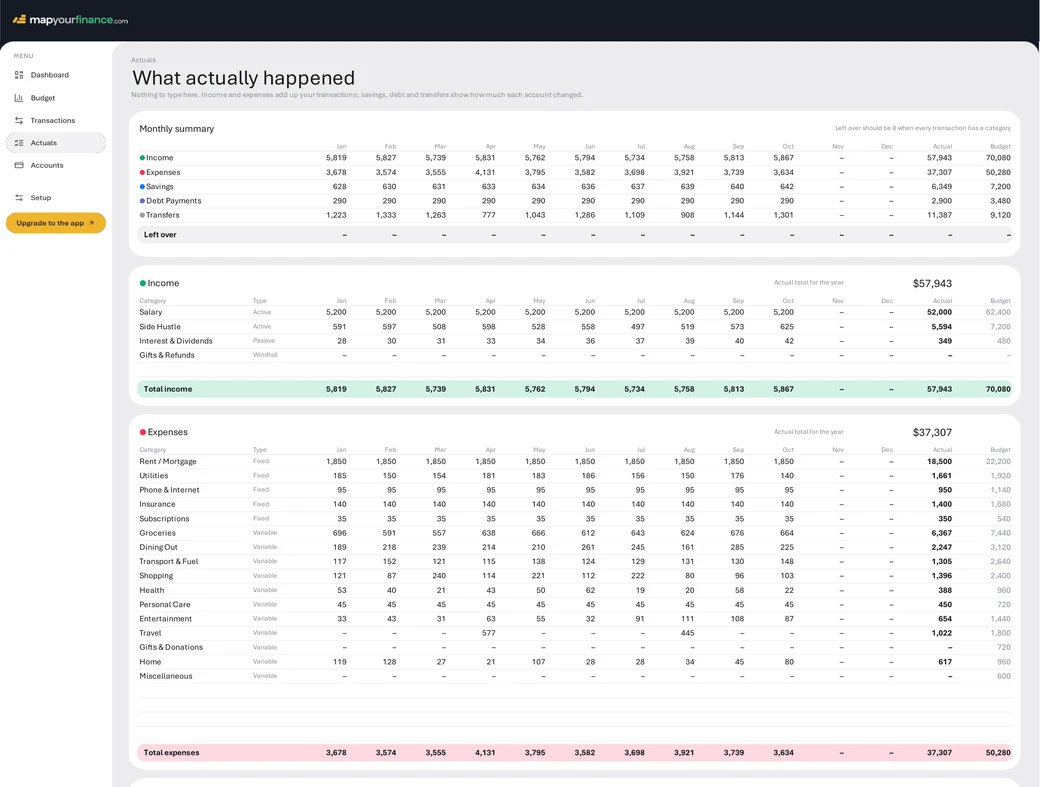
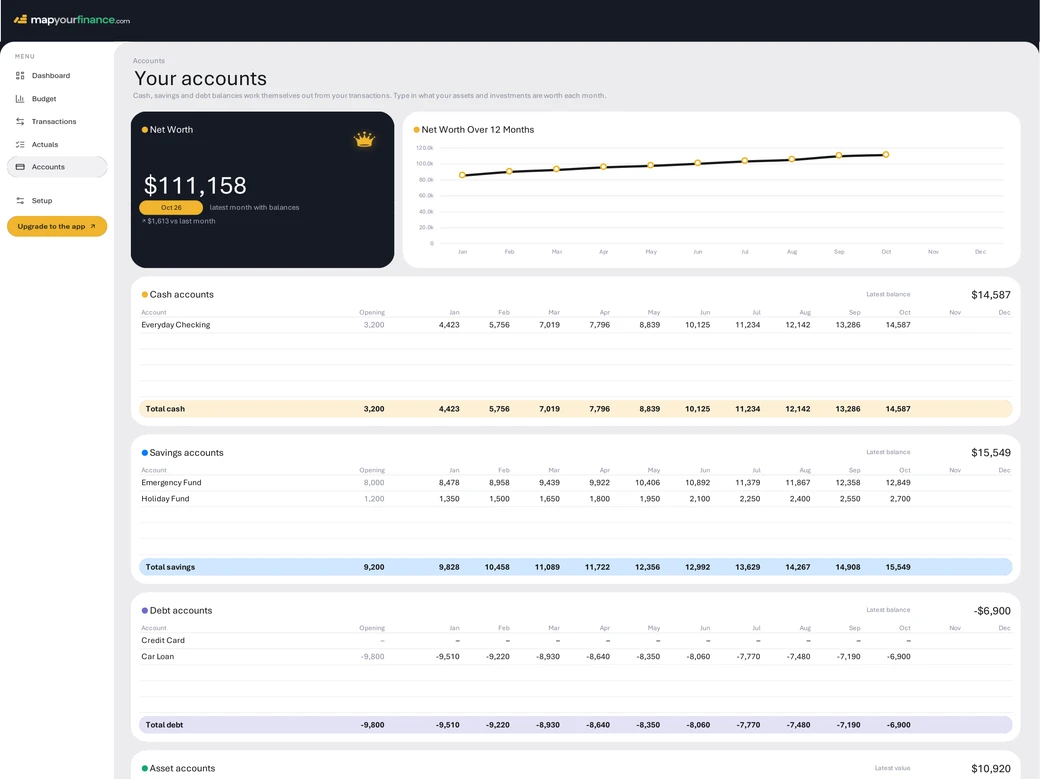
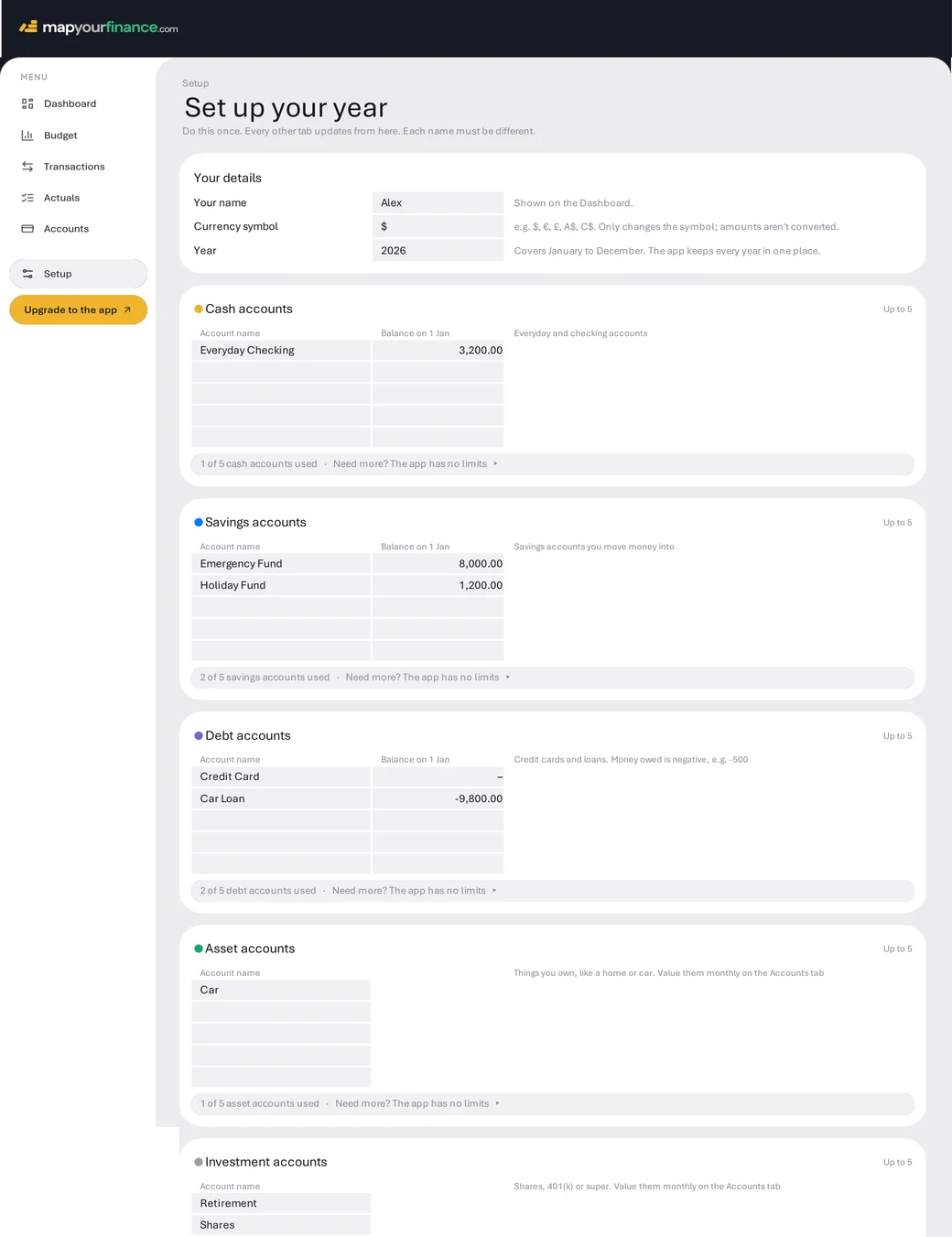
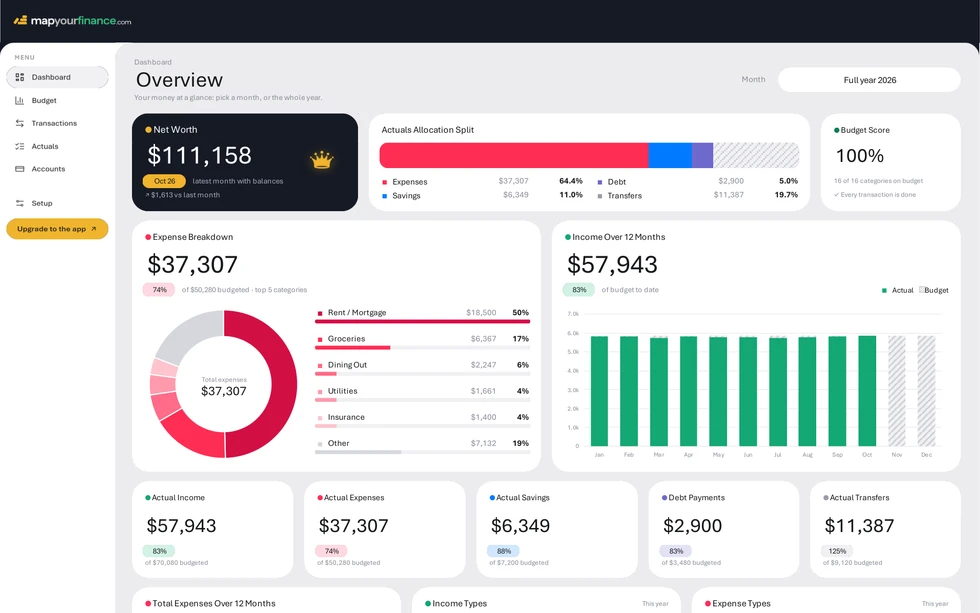
Dashboard. Pick a month to see your net worth, where your money went and how close you stayed to budget.
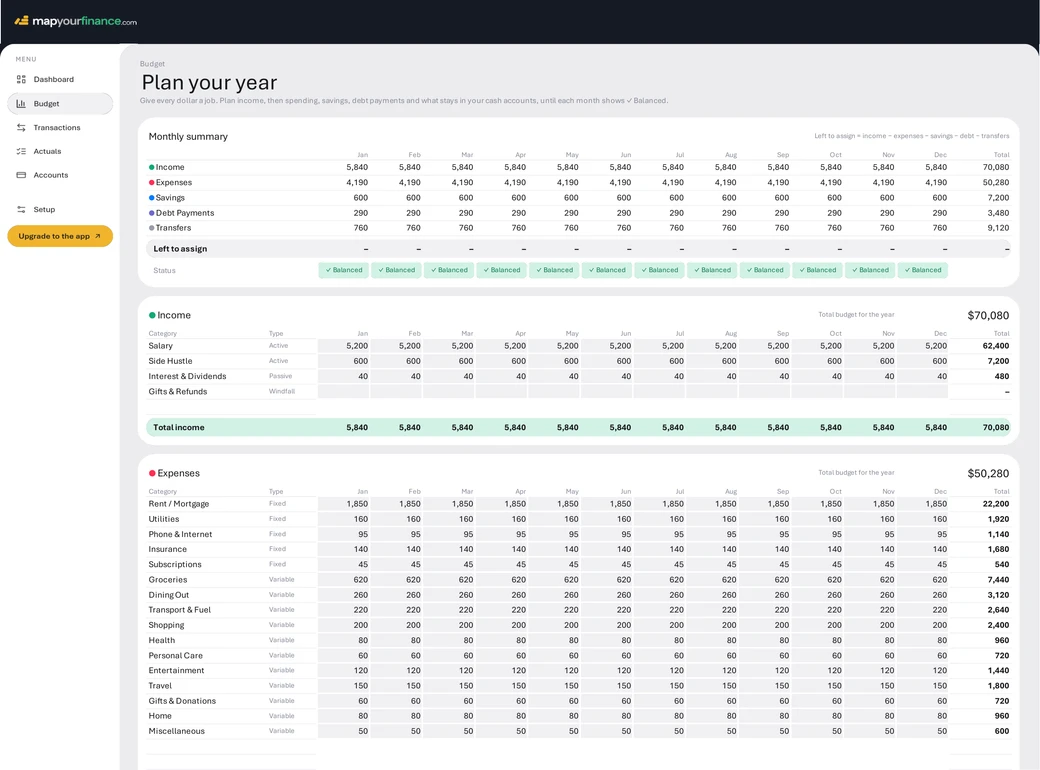
Most budget spreadsheets are a list of categories you guess at. Ours ties your budget to your real accounts using a closed-loop, zero-based system, so it always adds up.
Your budget matches your bank, down to the cent.
Everything a typical spreadsheet leaves out, in one place.
Here's what changes once all your money is in one place.
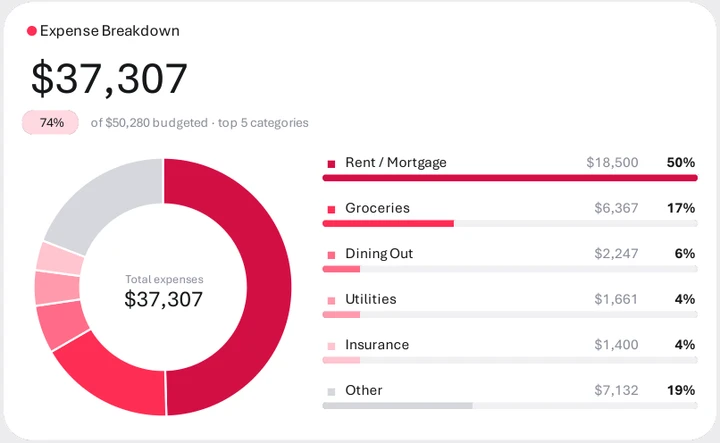
Every transaction has a category, so nothing's a mystery and the worry goes away.
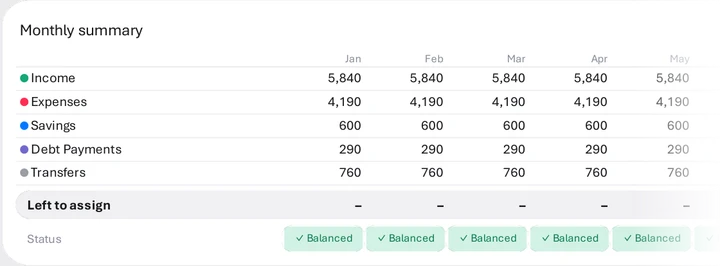
Ten minutes a week to add transactions. Formulas are locked, so nothing breaks.
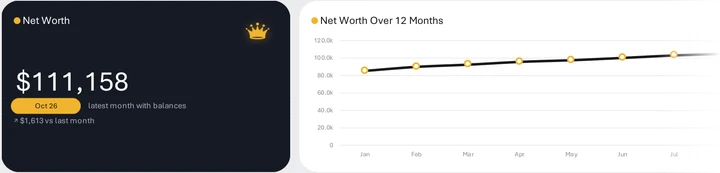
Every account, debt and investment adds up to your net worth, updated every month.
Your file is ready the second you pay, with a copy in your inbox.
Add your accounts and pick your categories. The built-in guide walks you through it.
Add your transactions and watch your budget, dashboard and net worth fill themselves in.

Processed securely by Stripe · USD
Yes. You never touch a formula. Type into the grey boxes, pick from drop-down lists, and the Start Here guide walks you through setup step by step. A filled-in example shows you what it looks like in use.
Yes, both. Use it in Microsoft Excel (Microsoft 365, or Excel 2019 and later, on Windows or Mac), or open the Google Sheets copy with a free Google account. There are no macros or add-ons to install. Apple Numbers isn't supported.
Straight after checkout you'll see your download link, and we'll email it to you too.
No. You pay $49 once and the spreadsheet is yours to keep.
Yes. It's a file you keep. There are no bank logins and nothing is sent to us. Your numbers stay in your own Excel file or Google account.
No. You paste in transactions from your bank's export, which takes a few minutes a week. If you'd rather your bank did the typing, the mapyourfinance app connects to banks in the US and Canada, and your purchase includes a discount on it.
Each file covers one calendar year. For the next year, make a copy, change the year and carry over your closing balances. The guide shows you how.
Get in touch and a real person will help you get set up. For refunds, see our refund policy.
One payment. Ten minutes to set up. A clear picture of your money for the whole year.
Download Now for $49The app does everything this spreadsheet does, without the typing.