





See exactly where your money went
Every transaction sorted into categories, so you can spot where the money really goes each month.
 Loved by 5,371+ users
Your budget, bank accounts, bills and goals in one place. Connect your US or Canadian bank and your spending sorts itself, so budgeting takes minutes a month, not hours.
No credit card required.
“I've been a YNAB user for the last few years, but have been looking for an alternative. I can say that this is well crafted and relatively simple to understand.”
“This program is excellent for those who need to get their budgeting in order.”
“They thought of everything when it comes to this budget. Worth it if you're serious about tracking your financial transactions.”
Most people never get a clear picture of their spending, and it shows up as stress and missed goals. mapyourfinance gives you that picture in minutes, then keeps it up to date for you.
Every transaction sorted into categories, so you can spot where the money really goes each month.
A live budget shows what’s left in every category and warns you before you overspend.
Every account, debt and goal in one number, so you can see your progress month after month.

“I was never reaching my savings goal. Now I can see where all my money is all in one place and watch my savings grow.”Luca Marres
Spreadsheets are a great start. mapyourfinance keeps everything you like about them and does the busywork for you.

Once you choose a plan, a guided setup inside the app takes you through every step.
Click around the full app, filled with example data, to see how it works. No credit card needed.
The app walks you through setup step by step, right where you need it: accounts, categories and your first budget.
Choose a plan, link your US or Canadian bank or import a CSV, and your budget is live.
From spreadsheet users to long-time budgeting app users, here’s what changed for them.
“I took some time to look at various different financial trackers and this is definitely the best one I came across. Very easy to set up, well put together and has some excellent features.”
“They thought of everything when it comes to this budget. Worth it if you're serious about tracking your financial transactions. The support I received was robust and prompt, thank you! The folks that created this are genius.”
“I've been a YNAB user for the last few years, but have been looking for an alternative. I can say that this is well crafted and relatively simple to understand.”
“This program is excellent for those who need to get their budgeting in order. Once set up, it is easy to look at today's expenditure plus look back over previous months to get comparison income and expenses.”
“I was having trouble understanding the transaction tab and customer support helped me figure it out with my endless questions with the patience of a monk! Would recommend this product to all my friends. Thank you!”
“Liking it so far. I like how it is extremely straightforward and easy to use. I have been looking for something that is minimal in terms of maintenance and learning curve and this is one of the best I've seen so far.”
Look around the full app with example data for free. Choose a plan when you’re ready to use your own accounts.
Perfect for taking control with flexibility.
Set it and forget it — your finances run themselves.
For those who want full access forever, with a one-time payment.
Everything you need to know before you start.
You can create a free account and explore the whole app, filled with example data, to see how everything works. To use it with your own accounts and transactions, choose a plan. No credit card is needed to look around.
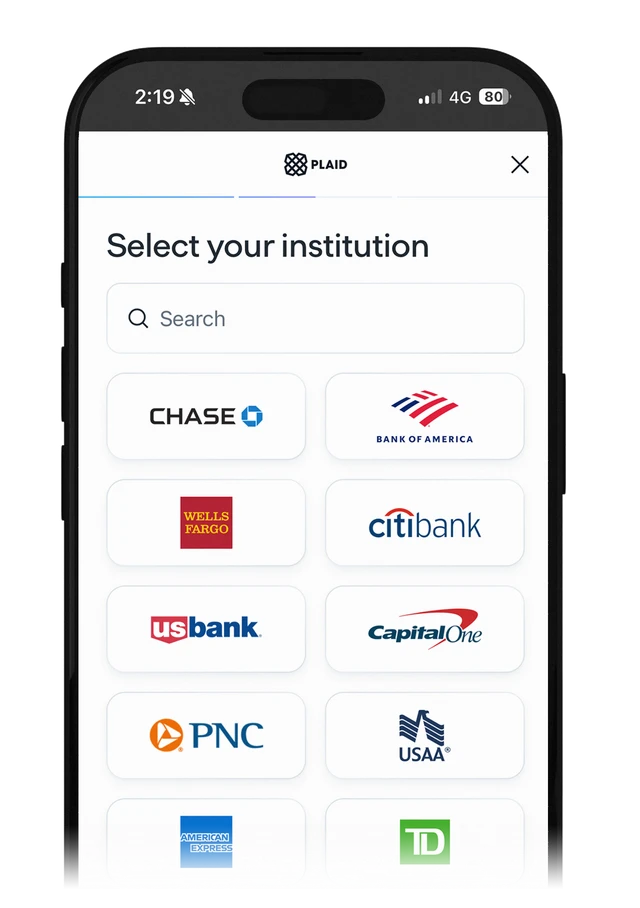
Automatic bank feeds work with banks in the US and Canada, through Plaid. If your bank isn't supported, you can import your transactions from a CSV file or add them by hand.
Yes. You can cancel your subscription at any time from your account settings.
You can access your budget from any device—desktop, tablet, or mobile.
Since it’s a web-based app, there’s no need to install anything, and it works seamlessly in all modern browsers. For the best experience we recommend setting up on a desktop computer or iPad and using your mobile phone on-the-go.
Yes, you can track multiple bank accounts and credit cards within one dashboard.
Not directly — we never connect to your bank ourselves. The connection is made by Plaid, a regulated open banking provider, which you authorise with your own bank.
That connection is read-only. It sends us your transactions and balances so they import automatically every day and are categorised as they arrive. It cannot move money, and your bank login is never shared with us.
Bank feeds are available for banks in the US and Canada. If your bank isn't supported, you can still add transactions manually or import them from a .csv file.
Spreadsheets are great, but they have their limitations!
Most spreadsheets are prone to formula errors, are not accessible on every device, do not have automations and have limited graphics. With a web-based app you can access your budget anywhere and not worry about mistakes in your formulas!
You can get your first budget setup in under 10 minutes!
Everyone has a different financial situation so we recommend spending time upfront setting up your profile correctly. After your initial setup you can update your finances in just a few minutes every month.
The app has a built-in setup guide that walks you through every step. If you still have questions, contact us and we’ll help.
Absolutely. We use enterprise-level encryption and secure cloud storage to keep your information safe. For details on security please see the Security page.
No. You enter your bank login on your bank's own authorisation screen, handled by our open banking provider — it is never entered into our app, and we never see or store it. We receive only read-only transaction and balance data.
No, this is strictly against our Terms of Service. You are solely responsible for maintaining the confidentiality of your Login Credentials and for all activities conducted through your account.
Never.
Your data is private and will never be sold or shared with third parties. Please see the Terms of Service for more details.